Campaigns
From a product photo to a launch ad set: a practical FORMA example
Plan three useful advertising pieces from one product reference: a four-panel story, a square hero and a portrait poster. Refine each image, review the product and download the adopted versions.
Make it with Panelly
Product launch
Plan a launch set for my product: a four-panel ad, square poster and portrait poster. Show the plan first.
Try this in Panelly Edit the brief before you generate.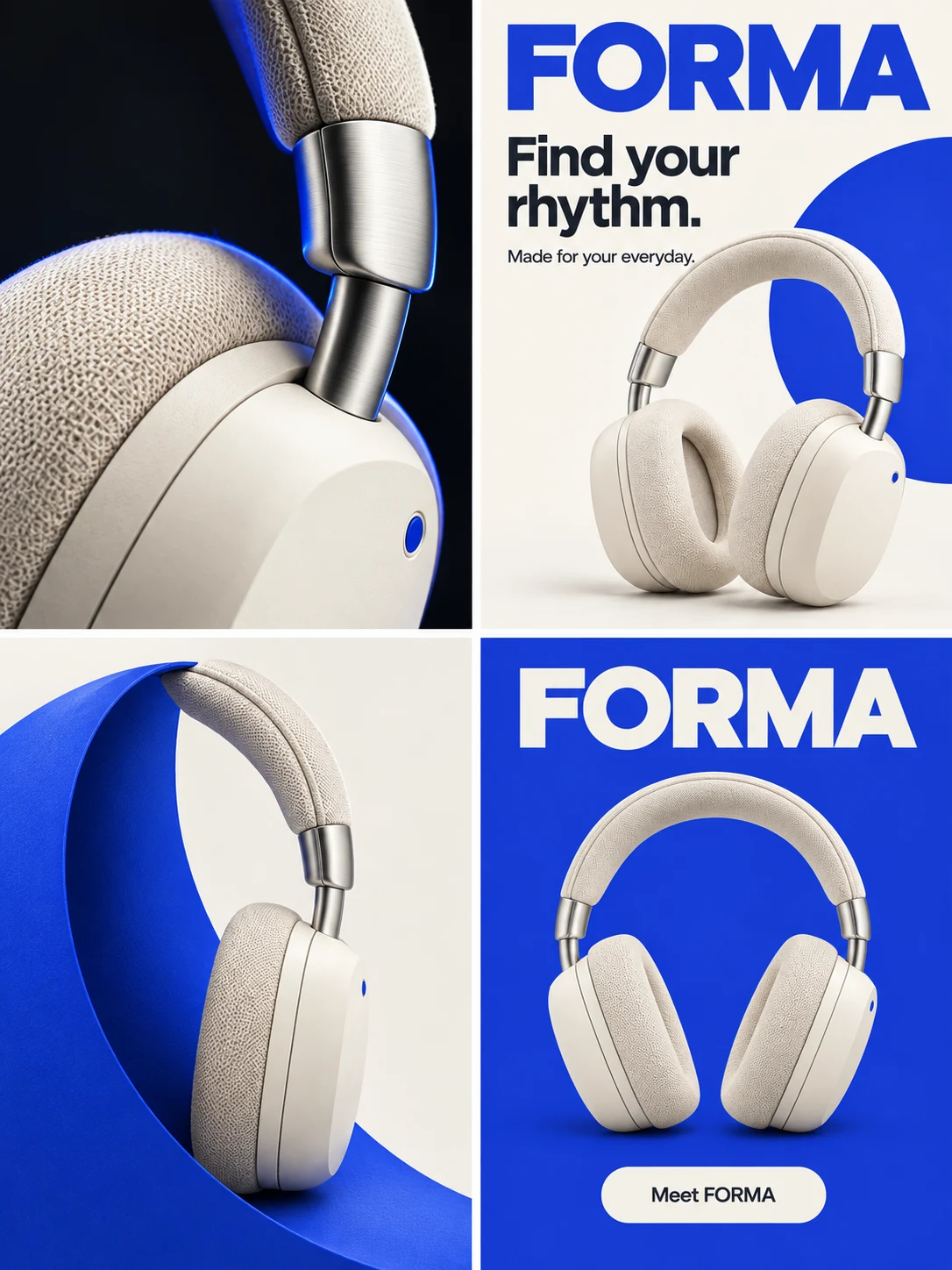
For an independent brand launching a product, start with your actual product photo, a short truthful description and the language wanted in the artwork. Plan a four-panel story ad, a square hero and a portrait poster; each is one complete image with its copy integrated.
Plan three useful advertising pieces from one product reference: a four-panel story, a square hero and a portrait poster. Refine each image, review the product and download the adopted versions.
1. Bring a recognizable product photo
Use a clear photograph of the actual variant you sell. For these cream headphones, the ear cushions, metal hinges and small blue accent are the visible identity checks. The reference below belongs to the fictional example. The Studio entry opens with an empty product and no image; upload your own photograph there.
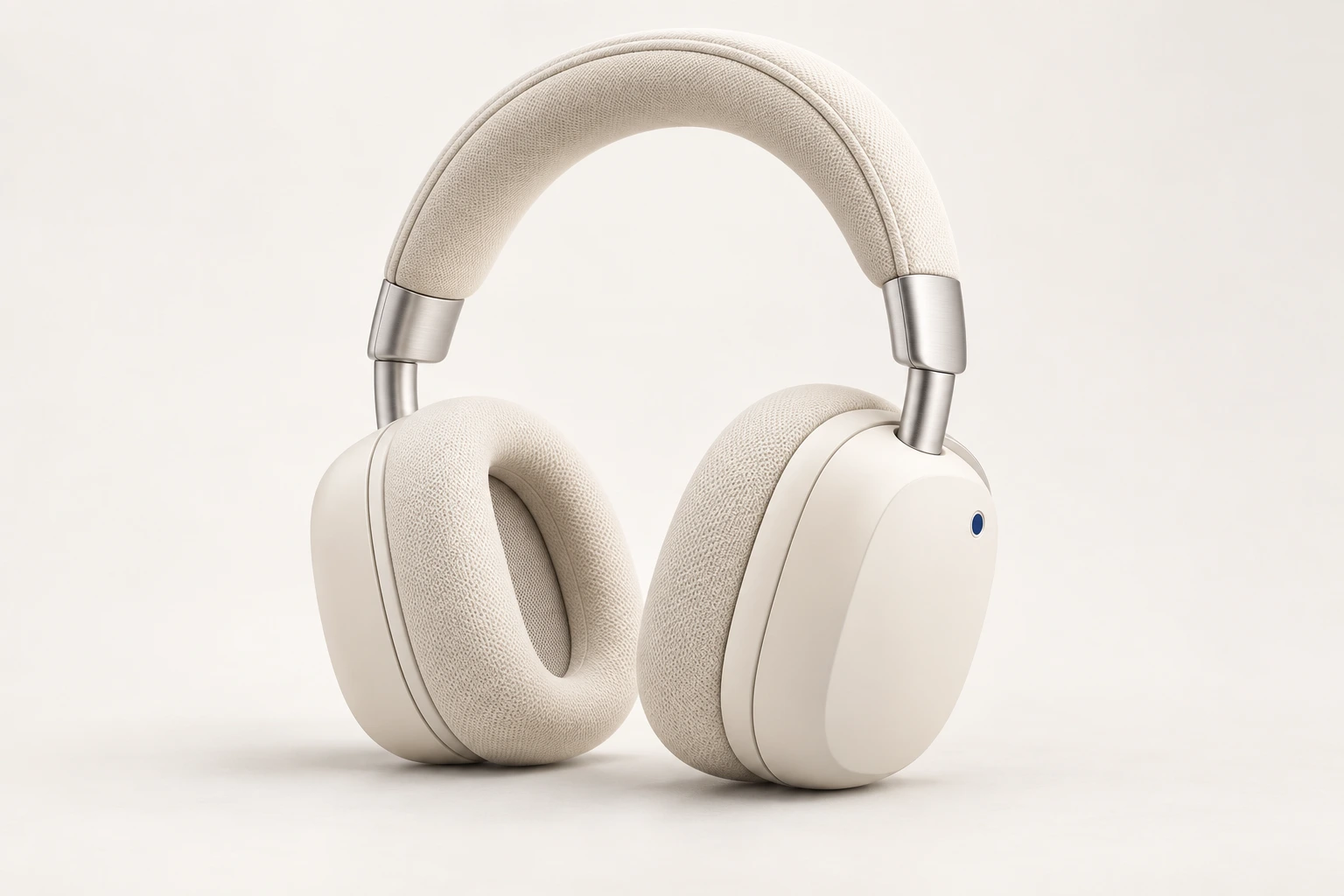
Cream headphones. Plan a launch set with a four-panel ad, a square poster and a portrait poster. Use cobalt blue and warm white. Keep the product recognizable; do not invent technical specifications. Show the plan first.2. Give each piece a job
The four-panel ad introduces the product through a sequence of views. The square poster is the campaign hero for a feed or product announcement. The portrait poster gives the same message room on a mobile screen. They are separate compositions with text integrated into each image, not detached captions or an automatic crop of one master. Confirm the deliverables and displayed credits before generating. This example does not require a new logo, packaging design or video.
This walkthrough uses historical Panelly artwork for the fictional FORMA headphones. It is an illustrative example, not a new model run or a customer campaign. A coherent palette is not proof of exact product reconstruction: the blue accent looks like a slot in one close-up, and some angles change the geometry. Check the real product and every word before publishing.
Four-panel product story
View full example: Four-panel product story
Square campaign hero
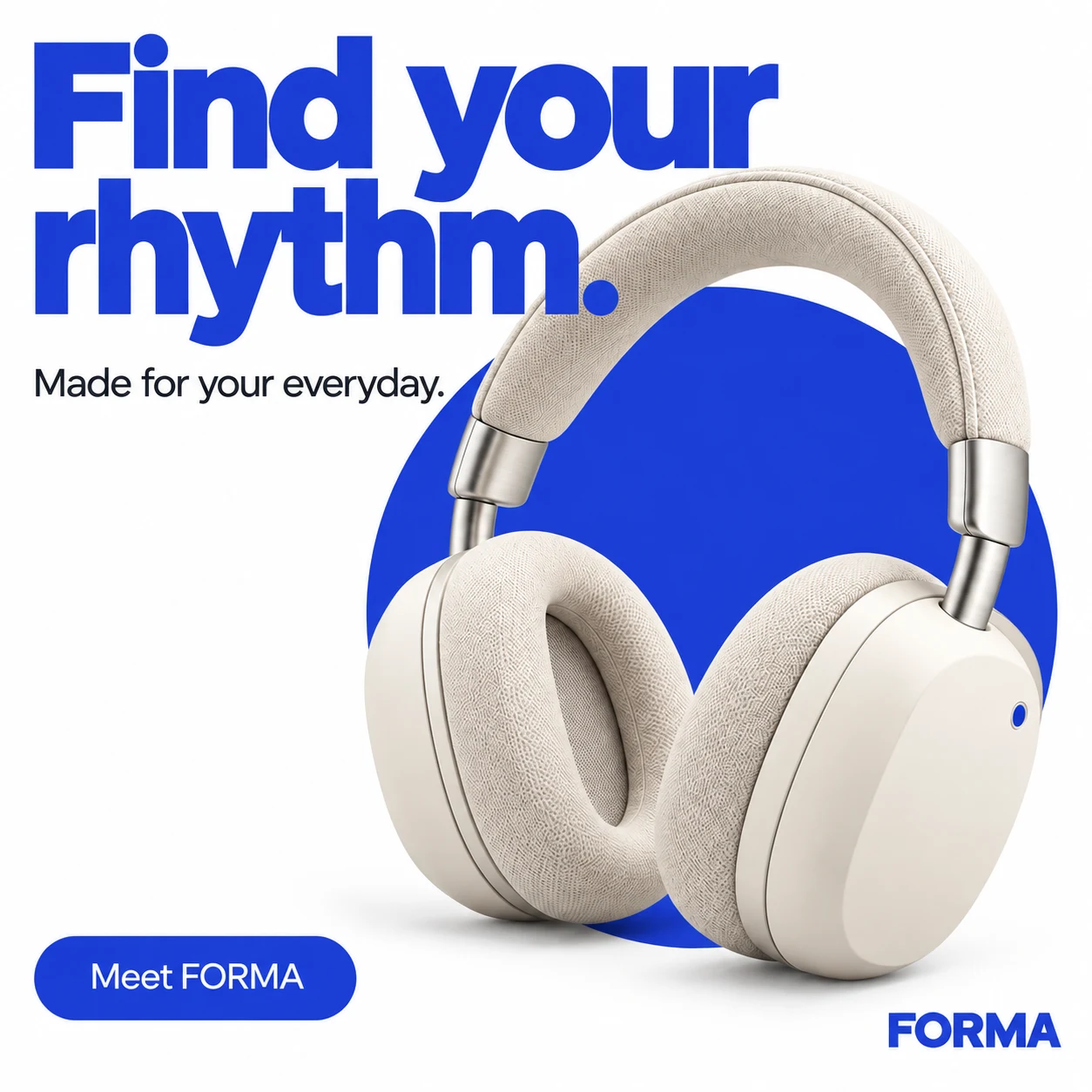
View full example: Square campaign hero
Portrait mobile poster
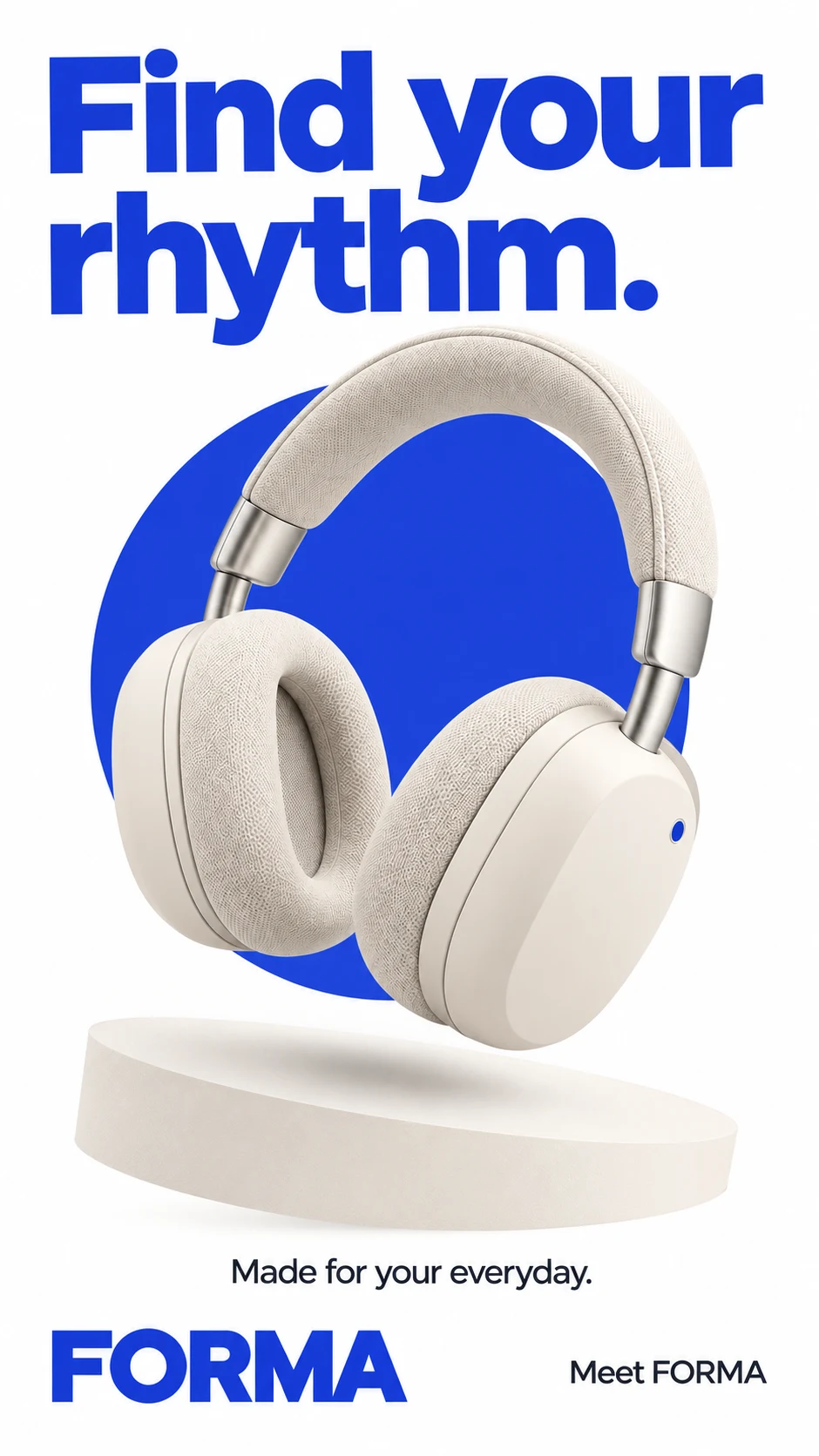
View full example: Portrait mobile poster
Put the idea to work for your product
Product launch
Plan a launch set for my product: a four-panel ad, square poster and portrait poster. Show the plan first.
Try this in Panelly Edit the brief and replace the reference in Studio. Sign in when you are ready to create.3. Refine one image while keeping its original
Select the image on the canvas and describe the change in the input below it. A region is optional: draw around the background if that helps explain your request, then submit. For example: “Make the background inside the selected area a soft light blue. Keep the headphones, composition and all approved copy.” The model creates a complete new image; the region guides it but does not guarantee pixel-locked changes. Keep the old version and compare both, especially hinges, ear cushions and lettering. On mobile, use View canvas and return to the conversation when needed.
4. Adopt, download, then check the placement
Choose the accepted version from the selected image’s More menu. Adopt each version you intend to use, then download the adopted set; use the image download for its original file. Adoption records your choice, not publication. The historical sample links below open the original WebP files. The live workflow exports the generated files, and a set download contains those originals in a ZIP. Check the final file at the actual placement size, confirm text and product details, and verify that the destination and offer are accurate. No automatic ad-platform publishing, editable vector logo or print dieline is promised.
From your product to the first useful campaign
Upload your own product photo and describe only known facts. Name the artwork language; do not invent benefits, prices or offers. Review the plan, three deliverables and total displayed credits before explicitly confirming generation. Select any result and describe a revision directly; optionally circle a region. Review all product details and text in the new complete image. Adopt the version you accept, then download that original or the adopted originals in a ZIP. Adoption and downloading are not publication. A later refinement does not automatically replace an adopted version. Branding, packaging concepts and video are optional requests, not mandatory launch deliverables. The default is No style; Ugly Design applies only when you explicitly choose it. No editable text layers, vector logo, print dieline, exact SKU fidelity or advertising results are promised.