Tutorials
Alt Text for Product Images: Examples for Photos and Four-Panel Ads
Write useful alt text for product photos, color options and complete four-panel ads, with a worked example and a separate long description.
Make it with Panelly
Turn inspiration into your next product ad
Bring a product image and an idea. Create a four-panel ad, a coordinated asset set, or a video with Panelly.
Create with Panelly Edit the brief before you generate.
Write product-image alt text around the information a shopper needs from that particular image. Name the product or variant when useful, describe the meaningful visual detail, and preserve important words shown in the image. A complete four-panel ad may also need a nearby longer description so its sequence remains understandable without forcing everything into one crowded alt attribute.
The same cup can need different wording in a catalog thumbnail, a lid close-up and a comic ad. Start with the image's job on the page, then describe what would otherwise be missing.
Choose the description from the image's purpose
W3C's image guidance distinguishes informative, decorative, functional and complex images. It asks authors to consider context, provide useful text equivalents and avoid treating every image identically. The table below applies that principle to a fictional travel-cup campaign.
| Image use | Information to preserve | Example wording |
|---|---|---|
| Product detail photo | Shape, variant and visible feature | Sand-colored travel cup with a folding handle on the lid. |
| Lid close-up | The detail this view adds | The cup's handle folds flat into a recess in the lid. |
| Color option control | Which option the control selects | Sand, or Select sand, according to the surrounding control label. |
| Four-panel ad | Product, sequence and essential copy | Four-panel ad for the Loop cup, showing its folding handle during a desk-to-train commute. Full description below. |
| Decorative texture behind a heading | No additional information | An empty text alternative, when it is genuinely decorative. |
These examples assume those features are visible and correct. Do not infer insulation, leak resistance or materials from appearance. A shiny surface alone does not tell you which metal a product uses.
Describe the extra information, not a keyword list
A useful detail description might say, “Rear view of the navy daypack with two padded shoulder straps.” A string such as “best backpack travel backpack premium backpack” does not explain the picture. Write a sentence you could use to help someone choose between the front and rear views.
The appropriate amount of repetition depends on surrounding text. If a linked thumbnail and product title form one link, inspect the combined accessible name before repeating the title again. If a color swatch is the only way to choose a variant, make sure the control communicates its color and selected state. The image attribute alone is not the entire interface.
Use the product name when it identifies what the image is about. Add the particular detail that makes this image different from the next one. You do not need to narrate every background object unless it changes the meaning.
Give a four-panel ad a short entry point and a complete description
A comic-style ad contains relationships across panels. APLN's comic image-description guide discusses conveying sequence and interactions rather than mechanically listing objects. For an ad, that also means preserving the words that carry its offer.
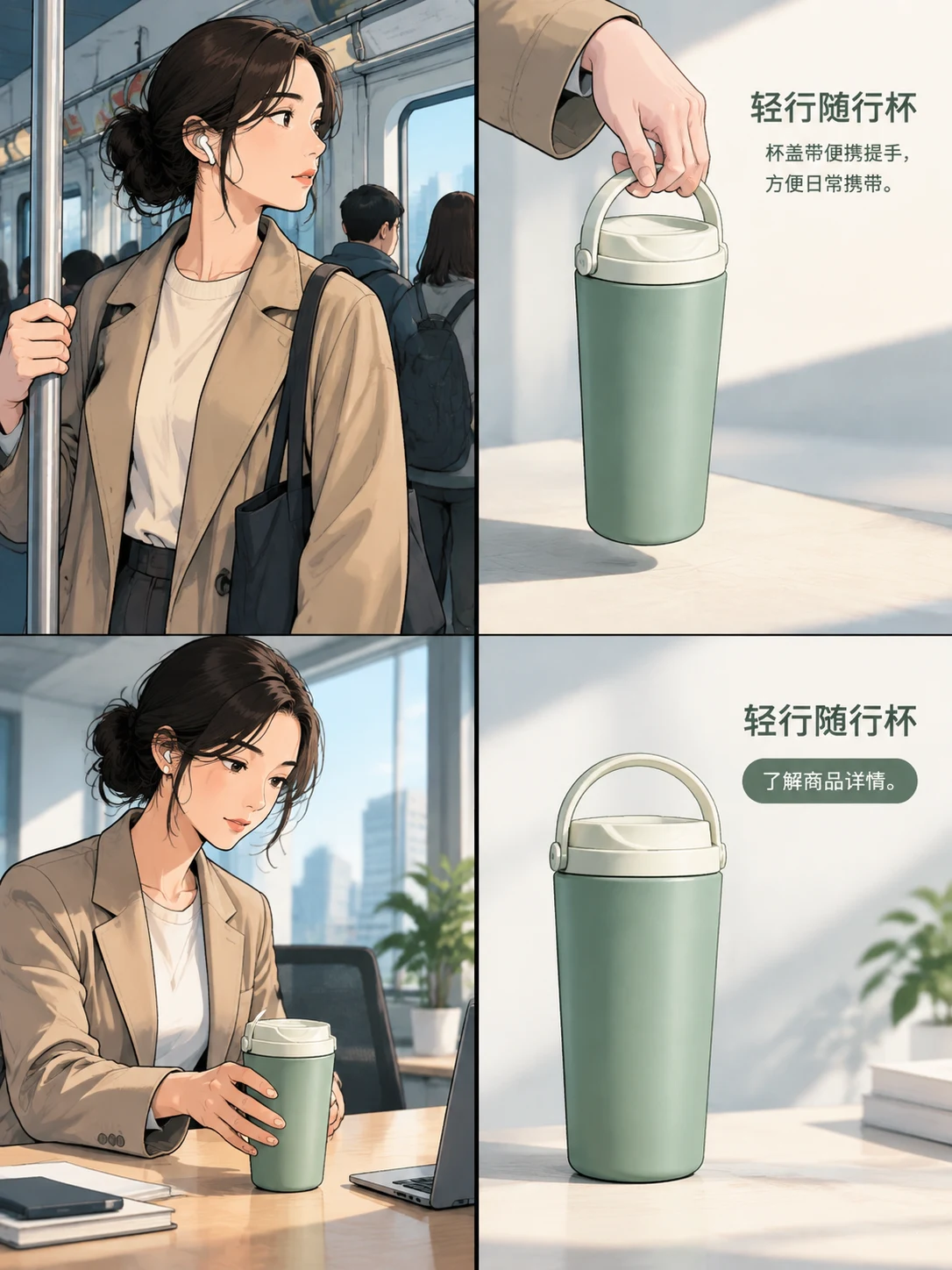
Consider this fictional creative: a commuter holds the Loop cup at a desk, folds its handle, carries it onto a train, then sees a product close-up with a shopping invitation. Its only product claim is the folding handle. This is an editorial example, not a generated result or a tested campaign.
Use the short alternative from the table as an entry point. Place the following longer description beside the image or behind a clearly named, accessible description control:
Four panels, read left to right across the top row, then the bottom row.
At a desk, a commuter reaches for a sand-colored Loop cup. The words are “From desk to departure.”
A close-up shows the handle folded into the lid. The words are “A handle that folds flat.”
On a train, the commuter holds the cup with the handle raised. There is no additional copy.
The final panel shows the cup alone. The words are “Loop” and “Explore the cup.”
Match the description to the final image. If a revision changes the train scene to a kitchen, the description needs to change too. Do not describe an earlier brief that the image no longer follows.
Keep essential ad copy available as text
A compact headline and shopping invitation can be included directly in a short alternative when that remains easy to follow. Longer dialogue or a sequence with several captions is better handled with a complete adjacent description. Avoid dropping a price condition or qualification merely to reach an arbitrary character count.
This does not require rebuilding the ad as separate text layers. The complete image can keep its integrated typography. The text alternative belongs to the page or platform where you publish it, serving people who cannot use the image itself.
When a publishing platform offers only a limited description field, use its available field carefully and put the remaining important information in the post caption or accompanying page. Check the actual destination rather than assuming one platform's controls exist everywhere.
Finish the description after the creative
Create and refine the complete ad in Panelly Studio, then write the alternative from the final version. Keep the image file and its description together in your delivery notes. A simple pair such as loop-commute-v2.png and “Loop commute v2 description” makes later updates easier to track.
Review the page with images unavailable and, where possible, with assistive technology. Can someone identify the product, understand the sequence and reach the same destination? That is a more useful review than counting keywords.
FAQ
Is there one ideal alt-text length?
No single length fits every image and publishing context. Keep the short alternative focused, and provide a longer equivalent when the image carries more information than a concise phrase can convey.
Should every product thumbnail repeat the product name?
Check the surrounding link and text first. The goal is an understandable combined experience. A detail photo often needs different information from a product-grid thumbnail.
Can AI write the description?
It can help draft one, but compare the result with the actual image and page context. Correct invented features, missing copy and an incorrect reading order before publishing.
Match the description to a visible image
The fictional ATELIER bottle below is an actual generated editorial image from our recorded revision exercise. It is a single product scene, not a four-panel ad or a real customer's product.
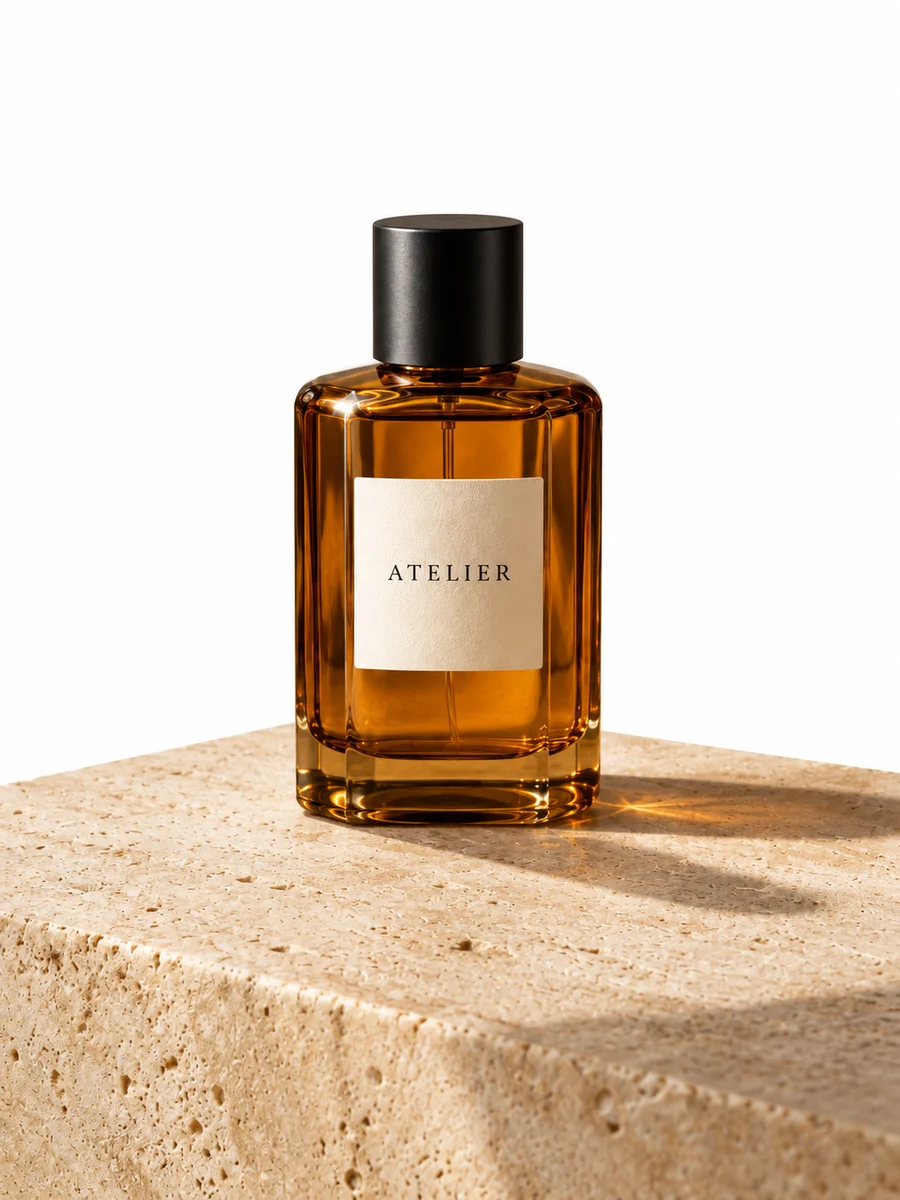
A concise alternative for this image is: “Amber ATELIER perfume bottle with a black cap and ivory label, standing on a beige stone platform against a white background.” This identifies the visible bottle and setting without inventing fragrance notes, ingredients or performance claims.
If the image appears inside the revision tutorial, the surrounding caption should also say that the flowers, mirror and fabric were removed but the original warm wall and platform shape changed. That comparison belongs to the tutorial context; it need not be repeated in every product thumbnail's alternative text.
The earlier Loop-cup sequence is a written example only. Do not attach its four-panel description to this perfume image. Use the final visible asset to decide whether a short alternative is enough or whether a separate sequence description is needed.