Creative practice
AI vs Traditional Product Photography: Choose a Workflow for Each Shot
Divide a six-image product launch between real reference photos and AI campaign scenes. Use a shot list, a complete brief and an explicit cost-per-accepted-image calculation.
Make it with Panelly
Turn inspiration into your next product ad
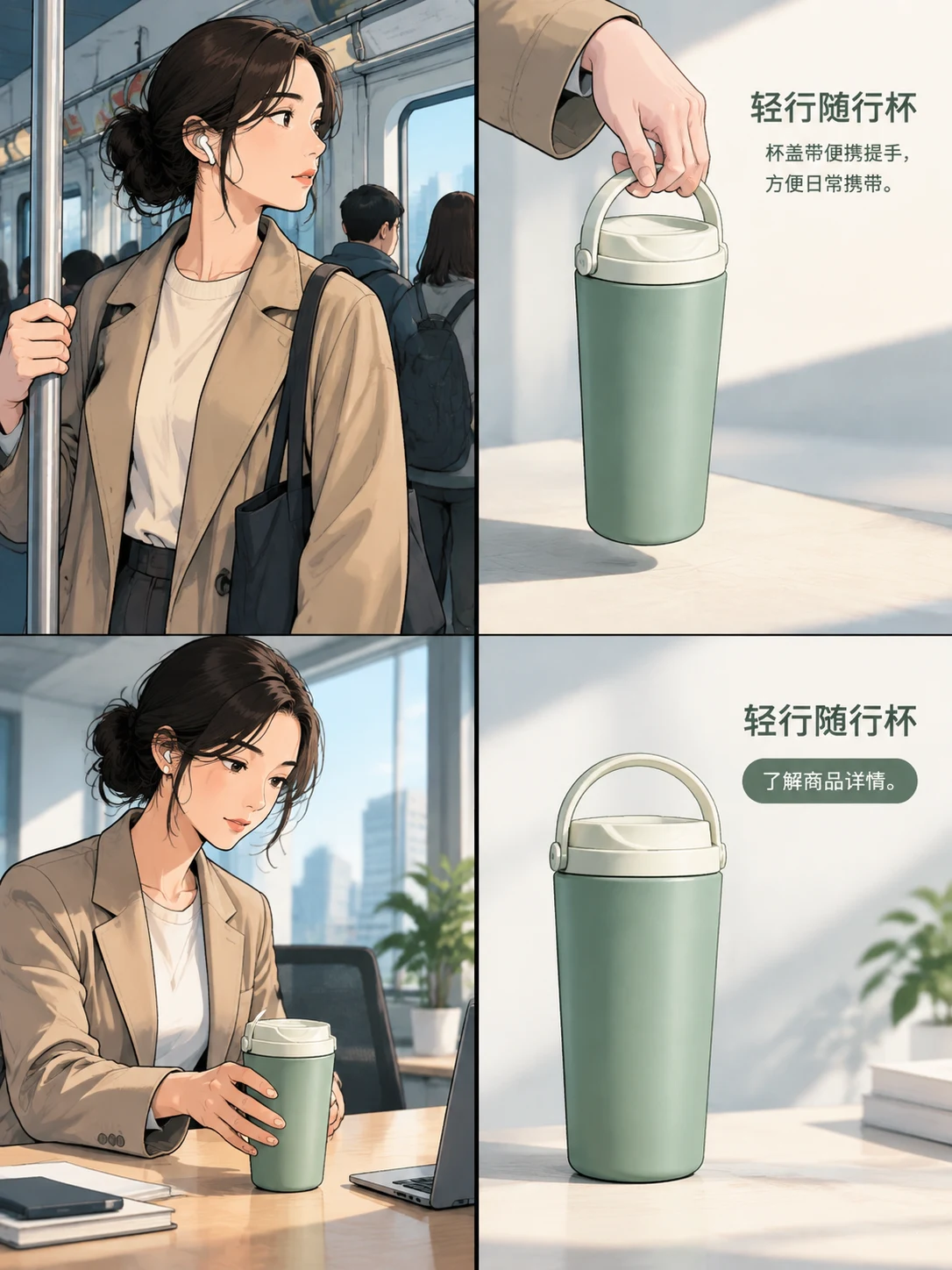
Bring a product image and an idea. Create a four-panel ad, a coordinated asset set, or a video with Panelly.
Create with Panelly Edit the brief before you generate.
For an exact view of a product's construction, start with a photograph of the real item. For a campaign setting or a new visual idea, an AI image workflow can start from that reference. Most small launches need both jobs done; choosing one method for every image creates unnecessary work.
Here is how to divide a six-image launch, compare the effort and decide what to make next. The organizer example and budget below are planning exercises, not results from a customer campaign.
Divide the shot list before comparing tools
Imagine you are launching a canvas desk organizer. Customers need to understand its pockets and attachment, while the ad needs to make a tidier desk feel appealing.
| Deliverable | What the viewer needs to learn | Starting workflow | Check before accepting it |
|---|---|---|---|
| Front product view | Shape, color and pocket arrangement | Photograph the current sample | All supplied parts and the correct variant are visible |
| Open-pocket detail | What fits inside and how the seam is built | Photograph the real detail | The opening and construction are not invented |
| Back attachment view | How it hangs or fastens | Photograph the back | The attachment matches the item being sold |
| Home-office campaign image | Where the organizer would be useful | Generate a scene from the product reference | The setting helps explain use without changing the pockets |
| Shared-studio campaign image | A different reason to want the same item | Generate a distinct use scene | The concept changes, while the product remains recognizable |
| Four-panel launch ad | Situation, useful detail, use and next action | Develop the sequence in chat | Each panel adds something and the offer is easy to read |
That is three reference shots and three campaign assets, not two competing versions of an entire gallery. The photographs become reusable inputs rather than work you discard when trying AI.
Take the reference photos around the hard details
Before arranging a beautiful scene, photograph the part most likely to be misunderstood. For the organizer, that is the pocket depth and back attachment. A front view alone does not tell anyone how the rear fastener works.
Use a stable camera position and lighting that makes the details readable. Shopify's DIY photography guide covers a practical small setup, including positioning and light. You do not need to turn every reference photo into a styled campaign shoot.
Keep the original files and a note identifying the product variant. If there are three sizes, photograph the one you intend to advertise. A convincing generated scene can still be the wrong scene if it starts from the wrong variant.
Give AI a scene to solve
“Make a premium product photo” leaves the creative decision unfinished. What should make this organizer worth noticing: less clutter, quicker access to pens, or more usable desk space?
For the first campaign asset, try this brief:
@image1 shows the front of our canvas organizer; @image2 shows its pockets. Create a home-office product ad around the moment of clearing a desk before work. Keep the pocket count, canvas color and attachment design from the references. Show a notebook and a few pens being organized, with the product large enough to understand. Use soft morning light and include “A place for the everyday” as the headline and “Explore the organizer” as the CTA in the finished image.For the shared-studio version, change the situation: sketching tools are ready beside an active drawing area. Merely changing the background from beige to gray would give you a visual variation, but would not test a different reason to want the product.
Read the result against the shot list. An extra pocket is a product error; a bland setting is a creative problem. The next request should name the one you actually see.
Compare cost per accepted asset
Use the same finish line for both estimates: six files you can use, in the required formats, with the necessary revisions completed. Include your own time if it is a real production cost.
The figures below are invented solely to show the calculation. They are not market prices, Panelly prices or a measured saving.
| Cost item | All-photography plan | Reference photos plus AI campaign plan |
|---|---|---|
| Preparation | 1 hour | 1 hour |
| Photography | 3 hours | 1 hour |
| Selection and finishing | 2 hours | 1.5 hours |
| Generation and creative revision | 0 hours | 1.5 hours |
| Assumed labor rate | $30/hour | $30/hour |
| Assumed generation allocation | $0 | $12 |
| Total for six accepted assets | $180 | $162 |
| Cost per accepted asset | $30 | $27 |
The useful result is how narrow that example's margin is. One extra hour of AI revisions raises the second plan to $192, or $32 per accepted asset. A shared photographic setup might also reduce the first plan's shooting time. Replace every assumption with your own time log before choosing.
For a budget worksheet that includes rejected attempts, see AI product-photography costs.
Decide how much of the source must remain untouched
Sometimes “the same product” means recognizable shape and details in a new campaign image. Sometimes it means the original photograph must remain literally unchanged. State which requirement you have before starting.
A generated revision is appropriate for exploring the first kind of request. If the second requirement is contractual, keep the product photograph as a fixed layer and build the scene around it in a compositor. This distinction is about control of the source pixels, not a general claim that image models cannot render text.
There is no need to separate every headline and CTA. For an ad delivered as one image, ask for the image and wording together. Separate layout elements are useful when the team specifically needs independent edits later, such as changing prices across a large weekly catalog.
Run one representative trial
Choose the most difficult useful shot from your list, not the easiest product on the shelf. Set a time limit that fits the job and record the outcome: accepted as generated, accepted after finishing, or rejected with the reason.
If the reference never shows the attachment, take another photograph. If the attachment is correct but the background overwhelms it, revise the composition. Repeating the same prompt is a poor substitute for deciding which information or creative decision is missing.
For a four-panel campaign, bring those reference views into Panelly Studio. Start with the customer situation and the real product detail; keep the source photographs for the gallery jobs they already do well.