Tutorials
Lines on a Photographed Screen? Separate Moiré from Flicker
Separate moiré, flicker bands and export artifacts in screen product photos. Use a clean interface reference without changing the device geometry.
Fine colored waves or repeating grids on a photographed screen may be moiré; broad dark bands can involve the display's timing and the camera's capture. Start by checking the original photo and a direct screenshot. The repairs are different, so do not assume that every line disappears with a different shutter setting.
If your purpose is to explain software rather than show a physical device, a direct screenshot may be the clearest source. For an advertisement showing a tablet on a desk, you need both accurate screen content and a believable device in the scene.
Locate the problem before replacing the screen
| Symptom | Compare | Next step |
|---|---|---|
| Fine waves change with camera position | Two captures from slightly different positions | Investigate a sampling-pattern problem |
| Broad bands change between captures | Original files with different capture settings | Investigate display timing or flicker |
| Original is clean but a small preview has patterns | Original at 100% and delivered image at actual size | Check resizing and the web derivative |
| Text is simply too small | A direct screenshot at intended ad size | Simplify the visible task or use a closer crop |
| A reflected window hides the interface | Screen content and surrounding reflection | Adjust the reflection without flattening the device |
Nikon explains moiré as an interaction between repeating patterns. Its older camera-specific recommendations are not universal settings for modern tablets. Use the principle to diagnose the image, then test your actual camera and display.
Try a small controlled capture comparison
Keep a record of the original framing. Take a second photograph after a small change in distance or angle, then compare at full resolution. If the fine pattern moves or changes while the interface itself is unchanged, that supports a pattern-interference diagnosis. It does not prove the screen is defective.
Brown University's digitization team documents changing capture alignment to avoid moiré when photographing patterned originals. For a device ad, judge the tradeoff: an angle that reduces interference may also make the interface harder to read. Do not trade away the feature the ad is meant to show.
For broad bands, investigate the display and camera combination separately. There is no single shutter speed promised here for all screens. If only the software content matters, record or capture it directly instead of repeatedly photographing it.
Prepare an accurate screen reference
Use a screenshot from the product state you actually want to advertise. Remove private customer information before uploading. Decide which task the viewer should understand: selecting a project, comparing two outputs or finding one control. A whole application window shrunk into a small tablet may communicate none of those.
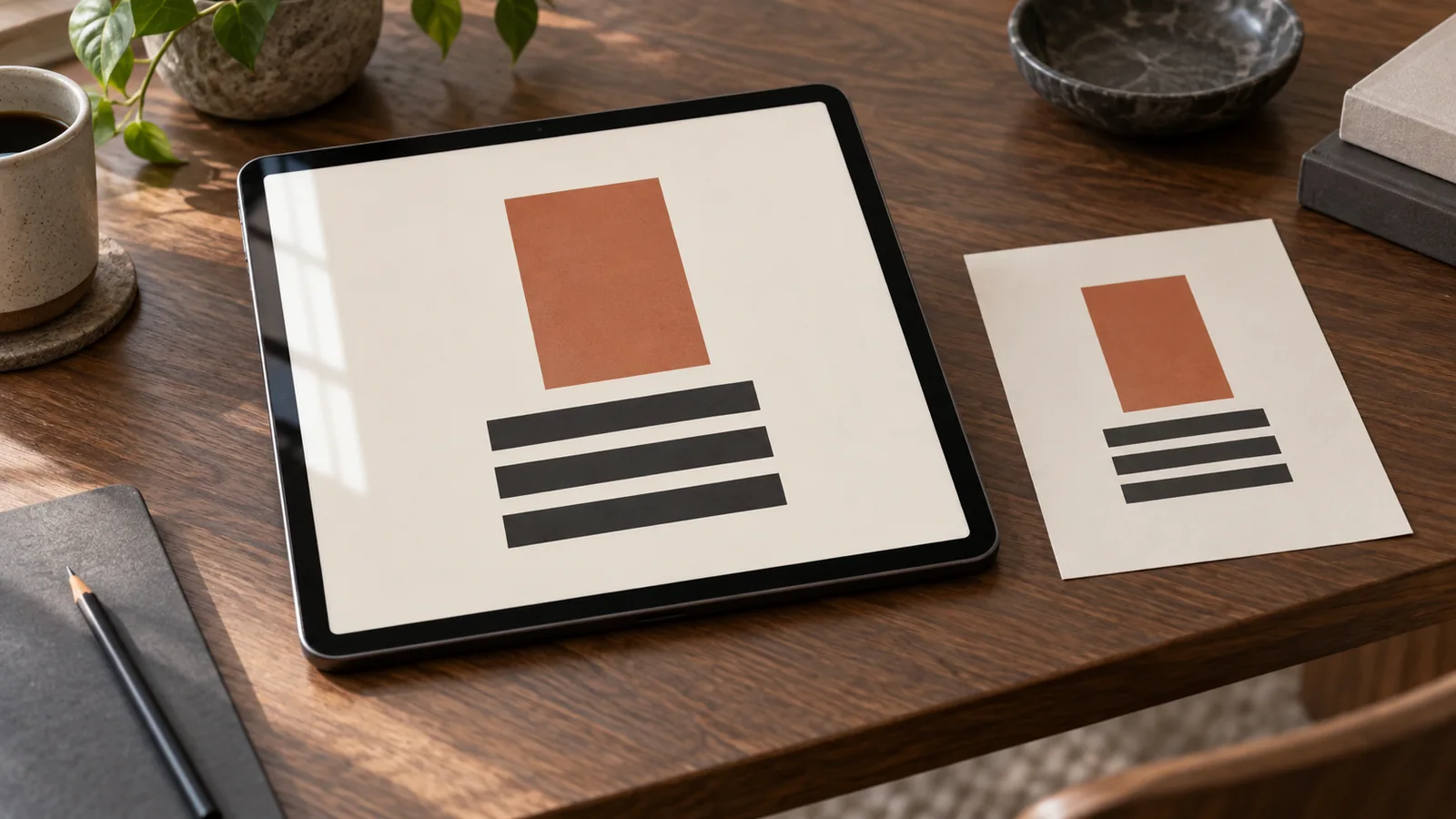
In this hypothetical example, the ad shows a simple drawing application on a tablet. The approved interface contains one terracotta rectangle and three charcoal bars. Keep a screenshot of that exact composition and a separate photograph of the device. These references have different roles, as described in the reference-image guide.
@image1 is the tablet photograph and controls the device shape, bezel, viewing angle and desk lighting. @image2 is the approved screen composition: one terracotta rectangle and three charcoal bars on cream. Keep that content and its relative positions. Fit it within the visible display in perspective, without stretching the bezel. Keep a subtle edge reflection, but leave the composition visible. Do not invent controls, charts or labels. Preserve the existing ad headline and CTA.This request can guide an image edit in Panelly Studio. It is not a guaranteed pixel-exact replacement. If exact UI pixels are a delivery requirement, fit the approved screenshot with a conventional perspective transform and mask, then inspect that exported result.
Check the file that will actually be seen
Inspect the finished screen at 100%, then at the ad's actual display size. Confirm that the intended action is readable, corners meet the bezel and no control was duplicated. Check the website's delivered derivative as well: a clean local export does not establish that the smaller served version is clean. The image compression guide covers that comparison.
Should I blur the screen to hide the pattern?
Only if the screen is incidental to the scene. If the interface is the product, blur removes the information the ad needs to communicate.
Does a screenshot alone prove the physical display's quality?
No. It captures software output, not the photographed appearance of the panel. Use a real device photograph when brightness, viewing angle or physical screen behavior is the claim being evaluated.