Tutorials
Consistent AI Product Images: References, Prompts and Fixes
Choose a product reference, select the generated ad to refine, and compare the visible details before downloading a static four-panel product ad.
Make it with Panelly
Four-panel product ads
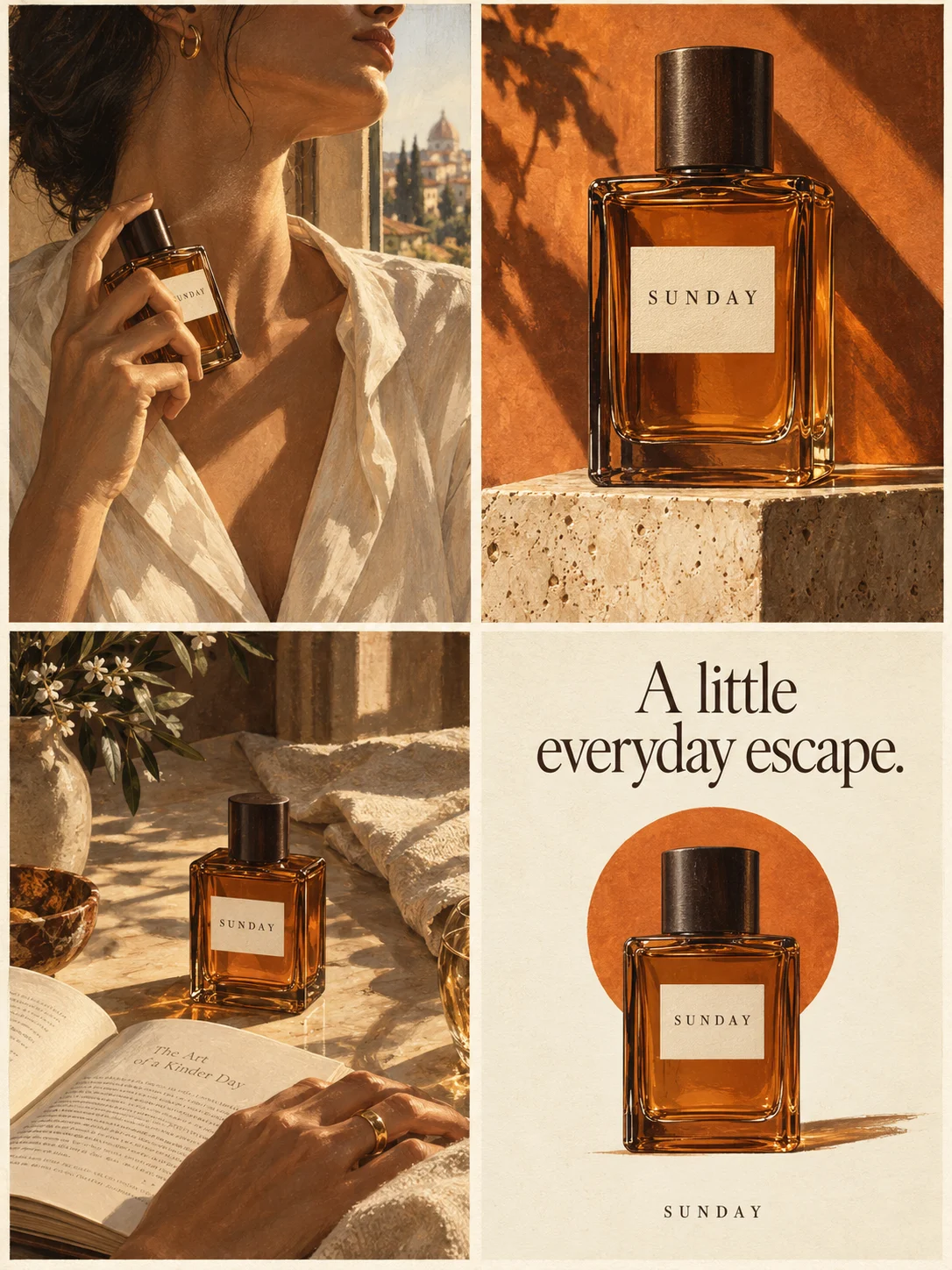
Turn a product benefit into a connected four-panel ad. Explore a visual direction, refine the result through conversation, and download the complete image.
Try this in Panelly Edit the brief before you generate.
To create consistent AI product images, start with one clear photograph of the actual product, name its distinctive visible details, and keep the planned scenes within what that reference shows. After generation, compare the result with the original and describe any specific mismatch before making another version.
For a four-panel ad, consistency means that the close-up and the lifestyle scene still show the same product. This guide covers reference selection, a copy-ready prompt, common fixes and the limits of exact logo reproduction.
Which image is the product reference, and which is the ad to edit?
Use the product photograph to describe what the item actually looks like. Use a selected generated ad to identify the version you want to revise. They have different jobs:
| Image or instruction | Job in this workflow |
|---|---|
| Uploaded product photo, such as @image1 | Evidence for visible shape, color, cap and label arrangement. |
| Selected canvas result, such as @ad1 | The complete ad image you want to refine. |
| Written change request | The mismatch to address and the details to retain. |
The tokens here are examples: choose the actual thumbnail and token shown in your Studio. Asking for the same bottle again does not, by itself, identify a particular generated version.
Which consistency problem should you fix first?
| What you see | What to check | Useful next step |
|---|---|---|
| The cap or silhouette changes | Does the reference show the complete outline? | Choose a clearer view and describe the changed component. |
| The product changes color between panels | Is the source variant clear? | Name the actual body color and retain it in the brief. |
| A hand covers the identifying detail | Is that detail necessary to the advertised feature? | Request a grip or scene where it stays visible. |
| Small label text becomes invented lettering | Does the placement require exact artwork? | Use the original artwork in an image editor when exactness is essential. |
| The scene looks wrong but the product is recognizable | Are the setting and visual direction specific? | Refine the surroundings while restating the product details to retain. |
How to choose a product reference image
The desk bottle in this guide is a fictional planning example, not a recorded generation test: a pale-green cylindrical body, short charcoal screw cap and narrow white front label. Its supplied benefit is “A reusable bottle for your desk.” No insulation, leak-resistance or cooling-duration claim is supplied.
Choose a photo of the actual variant that shows the whole outline, cap-to-body proportions and label. Leave space around the item and avoid a grip or reflection that hides these details. A dramatic lifestyle photo is less useful here if its lighting conceals the cap or lettering. Request the expressive setting separately.
What should the consistency prompt include?
Name three visible anchors: “Keep the pale-green cylindrical body, short charcoal screw cap and narrow white front label.” Those are specific comparison points; “keep it on-brand” is not.
Add seams, label position or dimensions only when they matter and you have evidence for them. The photograph supplies appearance evidence, not proof of a leak-free cap or a durability rating. Advertising benefits still need facts you can supply.
Plan four panels around the available reference
A front photograph gives limited information about the back of the product. Asking for a rear label, an opened mechanism or an extreme underside angle introduces details that are absent from that reference.
For the bottle, plan four views that keep the important front features visible:
- A bottle standing beside a closed notebook as someone arrives at a desk.
- A closer view of the cap and upper body, with the label still identifiable.
- The same bottle beside a laptop during an ordinary work break.
- A clean front view with the next action, “Explore the bottle.”
The context changes, but the request does not require a new bottle design. A hand can appear in the scene without gripping across the label. The close-up can show the cap without pretending to reveal an unseen internal mechanism.
If your advertising idea depends on the hidden feature, obtain a suitable source photograph before building the concept around it. Describing an unseen part more emphatically does not add visual evidence.
Put the idea to work for your product
Four-panel product ads
Turn a product benefit into a connected four-panel ad. Explore a visual direction, refine the result through conversation, and download the complete image.
Try this in Panelly Edit the brief and replace the reference in Studio. Sign in when you are ready to create.A copy-ready product reference prompt for Panelly
In Panelly Studio, add a product image and refer to it with the image mention, such as @image1. Use a PNG, JPG or WebP within the displayed upload limit of 5 MB. Start this workflow with one clearly chosen product reference.
Name the visible anchors in your message even when you attach a photograph. The conversation helps organize the advertising request; do not assume its reply has inspected every pixel or read the label for you.
Here is a complete request for the fictional example:
@image1 is the product reference for a reusable desk bottle. Keep its pale-green cylindrical body, short charcoal screw cap and narrow white front label recognizable throughout. Make a static four-panel ad for people who keep a bottle at their work desk. The supplied benefit is “A reusable bottle for your desk.” Show arrival at a desk, a closer view of the cap and bottle, a work-break scene and a clean product view with “Explore the bottle.” Keep the front features visible, use a quiet illustrated style and a simple work setting. Do not add insulation claims, a pump, extra accessories or new label wording.Select the image format beneath the conversation. A 3:4 image with a 2 × 2 arrangement is a straightforward starting point for this example. The result is one complete four-panel image, rather than four independently editable product photographs.
How to fix a product detail that changes
Suppose the result looks coherent overall, but its close-up gives the bottle a pump. In the four-panel Studio task:
- Select that generated image on the canvas and choose
Mention and refine, or type @ and select the image from the menu. - Check that its thumbnail and actual @ad token are in the conversation. Keep the original product reference available as @image1; it is not interchangeable with the generated ad.
- Describe the visible mismatch and the parts of the idea to retain. For a selected result shown as @ad1, the request could be:
@ad1 is the ad to revise. The close-up shows a pump, but the original product in @image1 has a short charcoal screw cap. Replace the depicted pump with that cap. Keep the pale-green cylindrical bottle, white front label, four-panel sequence and desk setting. Do not add accessories or new label wording.Confirm the displayed generation cost before generating the new version. Compare the complete result with both the selected ad and the original product photo, including panels that previously looked correct. A selected source identifies the image to work from; it does not lock untouched pixels or guarantee that only one panel changes.
If a label is simply too small to read, request a larger product view and less surrounding decoration. If the generator has invented lettering, enlarging that lettering will not make it accurate.
When should you use original product artwork?
Exact typography and intricate marks remain difficult requirements for generative editing. The ProductConsistency research paper specifically studies preservation of product identity and text in edited images. Its results concern the models and training described by its authors; they are not a benchmark of Panelly.
For a concept presentation, a recognizable illustrated bottle may be useful. For a placement that must show approved packaging artwork exactly, use the original product artwork or a conventional compositing workflow in an image editor. Panelly does not provide a guarantee of pixel-identical labels or logos.
Before using an ad, compare the visible product with your actual reference: is it still the same shape, cap and label arrangement, and does the image claim anything you did not supply? This is a practical creative check, not an extra approval form in Studio.
FAQ
Can AI preserve a product logo exactly?
A reference and a clear request can guide the image, but Panelly does not guarantee pixel-identical logos or lettering. Use approved original artwork when exact packaging reproduction is required.
Does a reference image replace the written description?
No. Name the visible parts that matter, such as the cap, hinge or label position. The conversation organizes the brief; do not assume its response has inspected or transcribed every detail in the photograph.
Can I repair only one panel in Panelly?
Choose the generated image before describing the change. The revision still produces a complete image; inspect all four panels. A request to change one panel does not guarantee unchanged pixels elsewhere.
What reference file can I upload?
Use a PNG, JPG or WebP within the displayed 5 MB limit. Start this single-reference workflow with a view that clearly shows the feature your ad needs.
Start with the clearest view of your product
Choose the photograph that shows your product's identifying details. Use the brief checklist to put those facts and your exact ad wording in place, and the four-panel use case to check the output format. Then open the matching Studio task, add the reference and describe the ad.
If you prefer to prepare the text first, the Brief builder lets you edit, copy or download a template. It formats your inputs; it does not generate an image or automatically send the text to Studio.
A recorded revision: recognizable is not identical
This is a controlled editorial exercise made on September 17, 2026 with the GPT Image 2.5 image models used by Panelly. We generated a fictional ATELIER perfume scene, then sent that image as the reference for one revision directly through the image provider. It is not a customer campaign or a recorded Studio session. The clutter in the starting image was deliberately requested; it is not evidence that the model normally produces this problem.
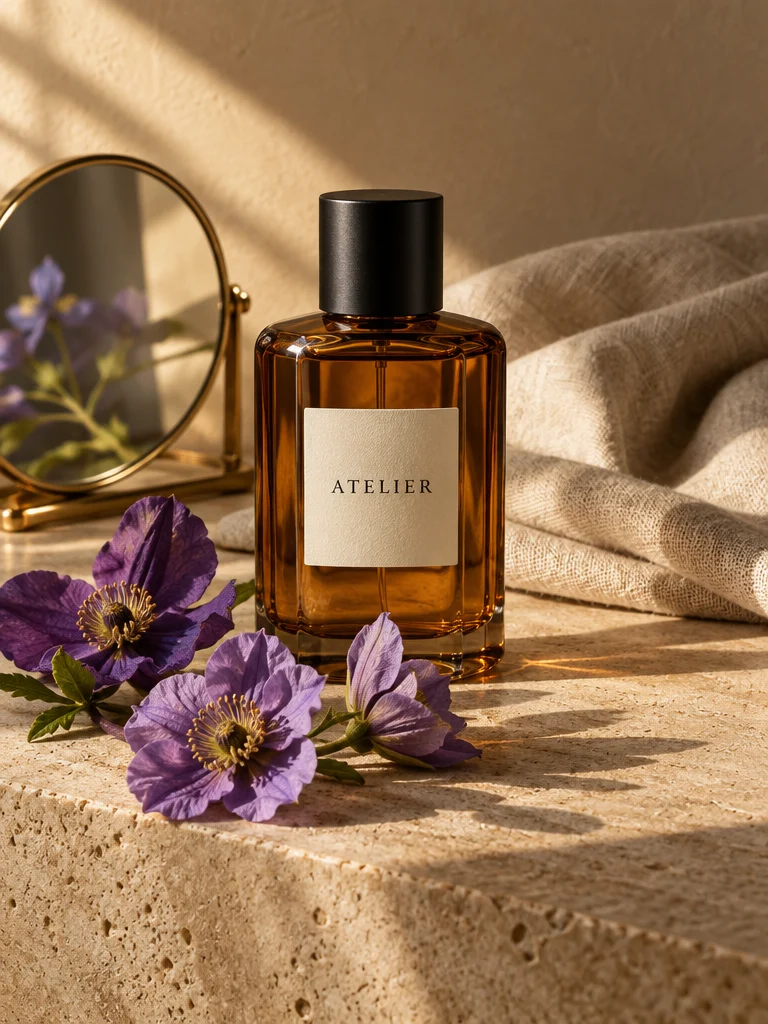
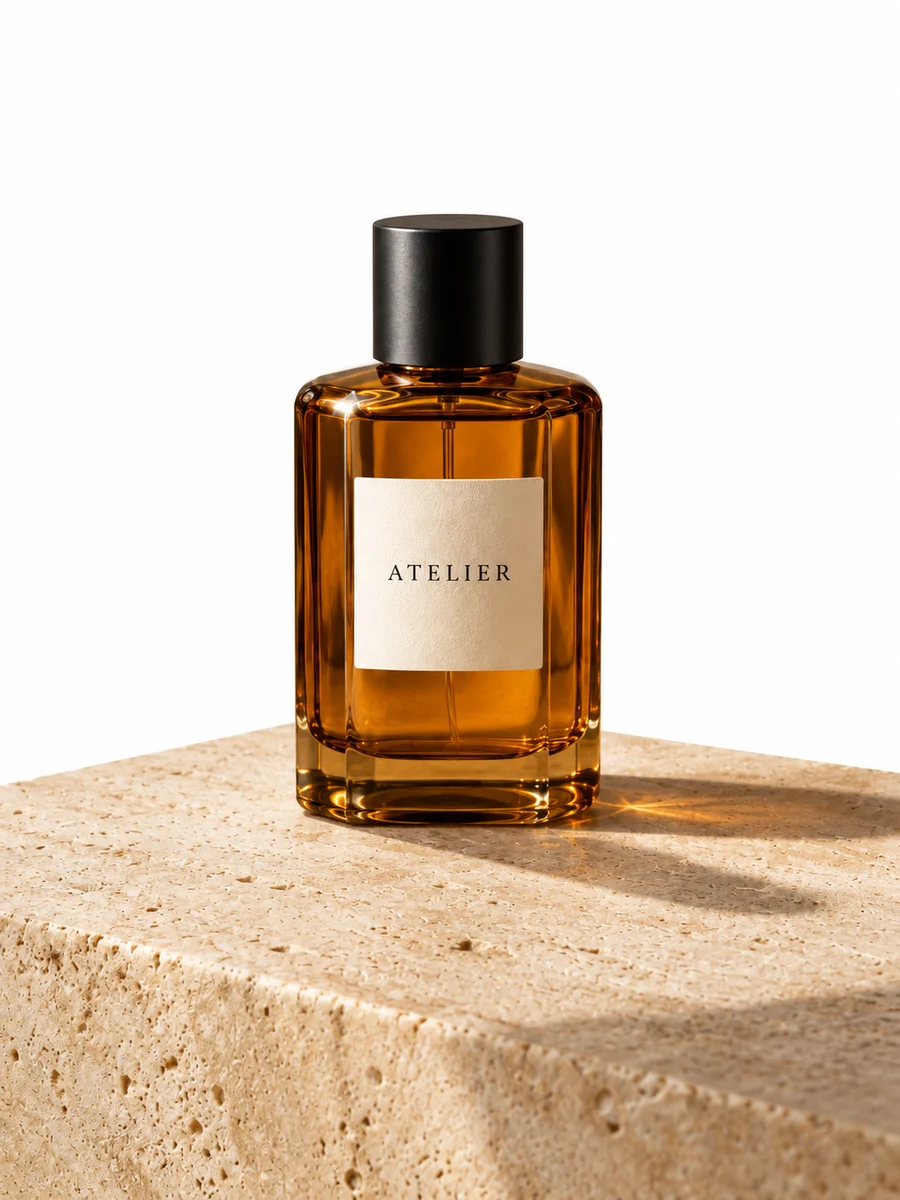
The amber bottle, black cap and ATELIER wording remain recognizable. The flowers, mirror and cloth were removed as requested. However, the background became white, the platform became rounded, and bottle proportions and label spacing shifted. We would not approve this as an exact product-preserving edit without another review.
In Studio, type @ and choose the actual canvas image to identify the version you want to refine. Name the fixed product details and the single change you want. Review the new result alongside the reference: a successful removal does not establish that every other detail stayed identical. See the complete revision request and evaluation before using this as a production workflow.