Campaigns
Refill Product Ad Examples: Make the Bottle Requirement Clear
Write a static refill product ad that names the matching container, distinguishes refill-only from a starter set and keeps the condition beside the CTA.
Make it with Panelly
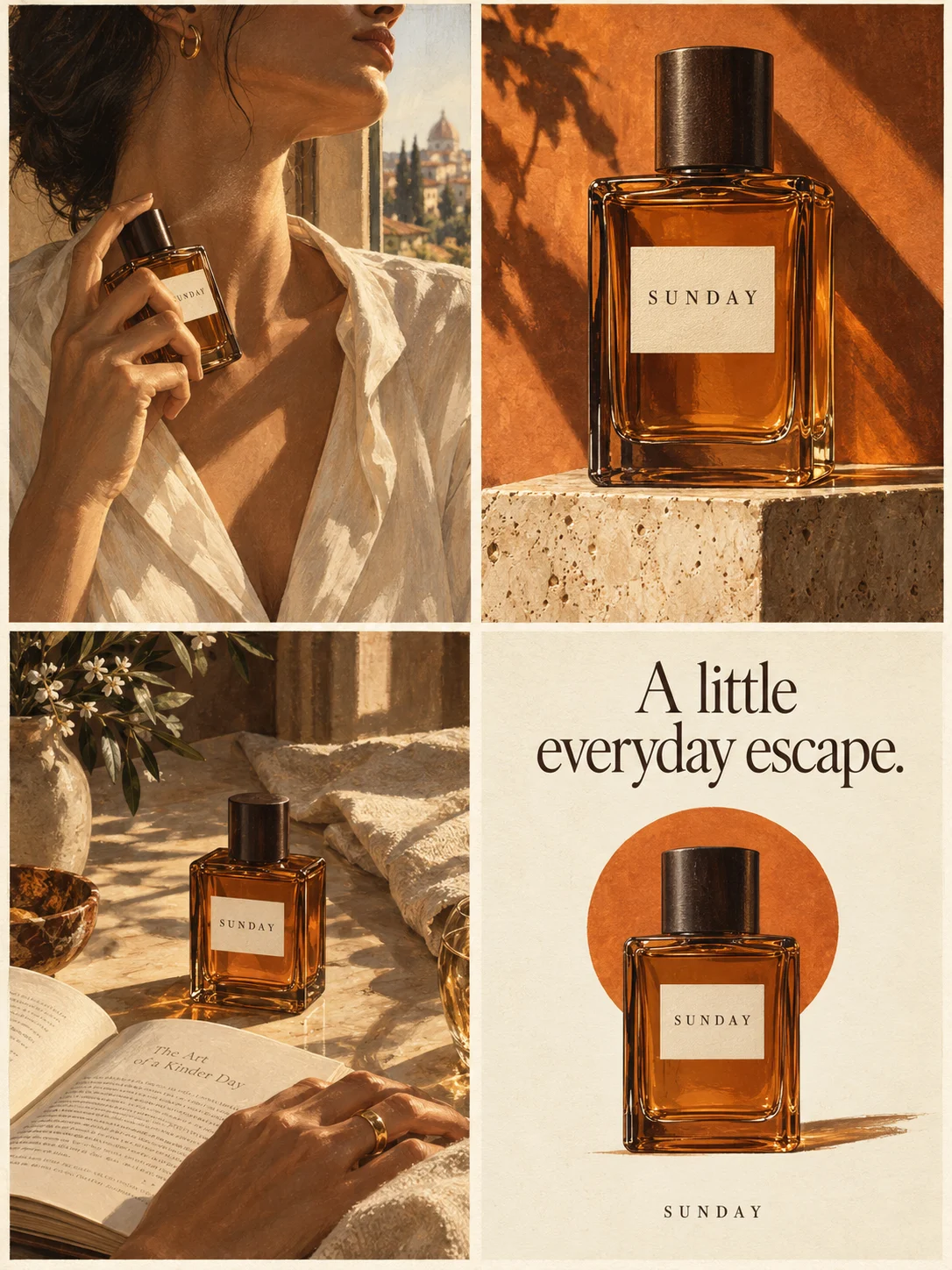
Four-panel product ads
Turn a product benefit into a connected four-panel ad. Explore a visual direction, refine the result through conversation, and download the complete image.
Try this in Panelly Edit the brief before you generate.
A refill product ad should say what is being replenished, which container the refill is intended for, and whether that container is included. Put the compatibility condition beside the purchase invitation. A familiar bottle shape in the background cannot establish that a refill fits it.
This example develops a static ad for a fictional 500 ml Nook hand-wash refill pouch. The product, bottle compatibility and copy are invented editorial inputs, not tested product facts. We executed Panelly's current Brief Builder formatter locally and retained its actual text output. We did not upload a photo, generate an ad or test a refill. Start with small-business creative ideas for the broader planning task.
Decide whether the reader already owns the matching container
Existing owners and first-time shoppers need different next actions. Someone who recognizes their bottle can check the matching refill. Someone without a suitable container may need the actual starter product instead. An ad should not send both people straight to an unsuitable refill purchase.
Manufacturer conditions matter. For example, Blueland's hand-soap help page specifies a foaming-pump requirement for its own tablets. That product-specific condition is not a compatibility rule for our fictional pouch, another brand or every pump.
| Reader situation | Suitable copy direction | Destination to verify |
|---|---|---|
| Owns the exact supported container | Name the matching refill | Exact refill and compatibility details |
| Unsure which container they have | Ask them to check the bottle first | A usable identification or compatibility explanation |
| Has no supported container | Explain the actual starter option, if sold | The real starter listing, not a refill-only page |
Do not invent a starter kit just to complete this table. If the merchant cannot confirm compatibility, resolve the product facts before writing a purchase claim. Advertising wording cannot test a pump or turn an unsupported container into a suitable one.
Choose refill copy that keeps the condition in the invitation
The following lines are original examples for the fictional Nook offer. They are not customer campaigns or measured winners. Replace the product name and all compatibility statements with confirmed information before using them.
- **Recognizable replacement:** “Your Nook pump bottle, ready for its matching refill.” Supporting line: “500 ml refill pouch. Bottle not included.” Action: “Check your bottle, then shop the refill.”
- **Eligibility first:** “Have the Nook pump bottle?” Supporting line: “Explore its 500 ml refill pouch. Bottle not included.” Use the same checking action.
- **Offer first:** “Nook hand-wash refill, 500 ml.” Supporting line: “For the Nook pump bottle. Bottle not included.” Use the same checking action.
“Works with any bottle” is a different claim. So are “saves half the plastic,” “lasts twice as long,” “kills germs” and a subscription discount. None follows from the word refill. Leave such claims out unless the business has confirmed the exact statement and the facts supporting it. This exercise does not supply those facts.
Turn the confirmed refill facts into a text brief
The Brief Builder formats supplied facts; it does not inspect packaging or verify compatibility. For this article we ran its current compiler locally, rather than claiming a new browser form test. These were the central inputs:
| Field | Fictional input |
|---|---|
| Product | Nook hand-wash refill pouch, 500 ml |
| Goal and format | Product discovery; one complete 3:4 static 2×2 image |
| Audience | Existing owners checking the matching refill |
| Message | Refill for the Nook pump bottle. Bottle not included. |
| Reference | One actual pouch photo to attach later; none supplied in this exercise |
These complete English lines came from the actual formatter output:
Approved message: Refill for the Nook pump bottle. Bottle not included.
Call to action: Check your bottle, then shop the refill
Do not add: No fits-any-bottle, dilution or cleaning instructions, disinfectant claim, environmental saving, discount, subscription, extra bottle or guaranteed label preservation.
Review the complete editable output, not just these excerpts. The tool has not checked that Nook exists, that a bottle accepts the refill, or that any instruction is appropriate. It has also not added a bottle to a cart. Consult the brief checklist and copy the reviewed request yourself when opening Studio; there is no automatic handoff.
Put the idea to work for your product
Four-panel product ads
Turn a product benefit into a connected four-panel ad. Explore a visual direction, refine the result through conversation, and download the complete image.
Try this in Panelly Edit the brief and replace the reference in Studio. Sign in when you are ready to create.Show the refill without accidentally selling a second product
Use the pouch as the visual anchor. A bottle can be relevant context, but showing a large bottle and a small pouch together may imply a starter set. For this single-reference exercise, leave the bottle out of the composition and state its requirement in readable text.
| Panel | Visual job | Check against the real offer |
|---|---|---|
| Top left | Introduce the refill pouch | Name and stated volume match the actual pack |
| Top right | Show a visible pouch or spout detail | No invented material or dispensing claim |
| Bottom left | State the named-container requirement | Text does not imply universal compatibility |
| Bottom right | Pair the action with “Bottle not included” | Both remain readable at the intended display size |
This is a composition plan, not a generated image. It deliberately avoids demonstrating pouring, mixing or dilution. Use the manufacturer's actual instructions for product use; an ad-planning article cannot provide them. For a real multi-item starter offer, reuse product bundle photography to establish its contents instead of disguising a refill-only offer as a kit.
Bring one real pouch reference and a complete request to Studio
Open the four-panel Studio task, replace the fictional facts and attach your single actual product photo. Review the proposed plan and displayed credit cost, then explicitly confirm generation if you intend to run it. The following request is illustrative and was not sent to a generation model:
Create one complete static 2×2 product ad, overall ratio 3:4, for the fictional Nook hand-wash refill pouch, 500 ml.
Audience: existing owners checking the matching Nook pump bottle.
Use: “Refill for the Nook pump bottle.” “Bottle not included.” “Check your bottle, then shop the refill.”
Top left: introduce the pouch. Top right: a visible packaging or spout detail. Bottom left: the named-container requirement. Bottom right: the action and “Bottle not included” together.
Use the actual single pouch photo attached in this conversation. Do not invent an extra bottle or portray a starter set. Keep the compatibility condition readable.
No universal compatibility, pouring or dilution tutorial, cleaning instruction, disinfectant claim, environmental saving, price, discount or subscription.
Deliver one static composite, not four carousel files or a video. Replace every fictional product fact before real use.
The resulting image still needs an operator's review. A reference and a request do not guarantee accurate labels, preserved pixels or the same product shape. Compare the complete output with the real pouch and confirmed message. After a revision, check all four panels, including areas you did not ask to change.
Keep the condition through export and the landing page
Use the local image resizer and cropper to compare cropping with fitting the entire ad. It now accepts custom pixel dimensions as well as preset ratios. Fitting can preserve the edges while making the text smaller; cropping can remove the condition. Inspect the downloaded PNG yourself. The tool does not read the copy or certify a platform safe zone.
Finally, follow the advertised action to the actual refill listing. Can a shopper identify the supported container and see that no bottle is included? If the destination offers a starter kit or a different variant, fix the destination or the ad. The message-match check covers that comparison. Panelly does not synchronize listings, compatibility facts or live campaigns.
Start with the product's actual compatibility information in the Brief Builder. Bring the reviewed text and real reference to Studio only when the offer is clear enough to represent.