Campaigns
Rental Product Ad Copy Examples: Say What Must Come Back
Brief a static rental-product ad with returnable inventory, separate collection and return windows and an honest inquiry. Includes actual Brief output and a full request.

Make it with Panelly
Four-panel product ads
Turn a product benefit into a connected four-panel ad. Explore a visual direction, refine the result through conversation, and download the complete image.
Try this in Panelly Edit the brief before you generate.
A rental product ad should say that the customer is paying for temporary use, identify what must come back and make the next action clear. Put “rental” beside the product name before a styled event scene makes the offer look like a purchase. Collection and return are two different appointments; a button inviting an inquiry does not confirm either one.
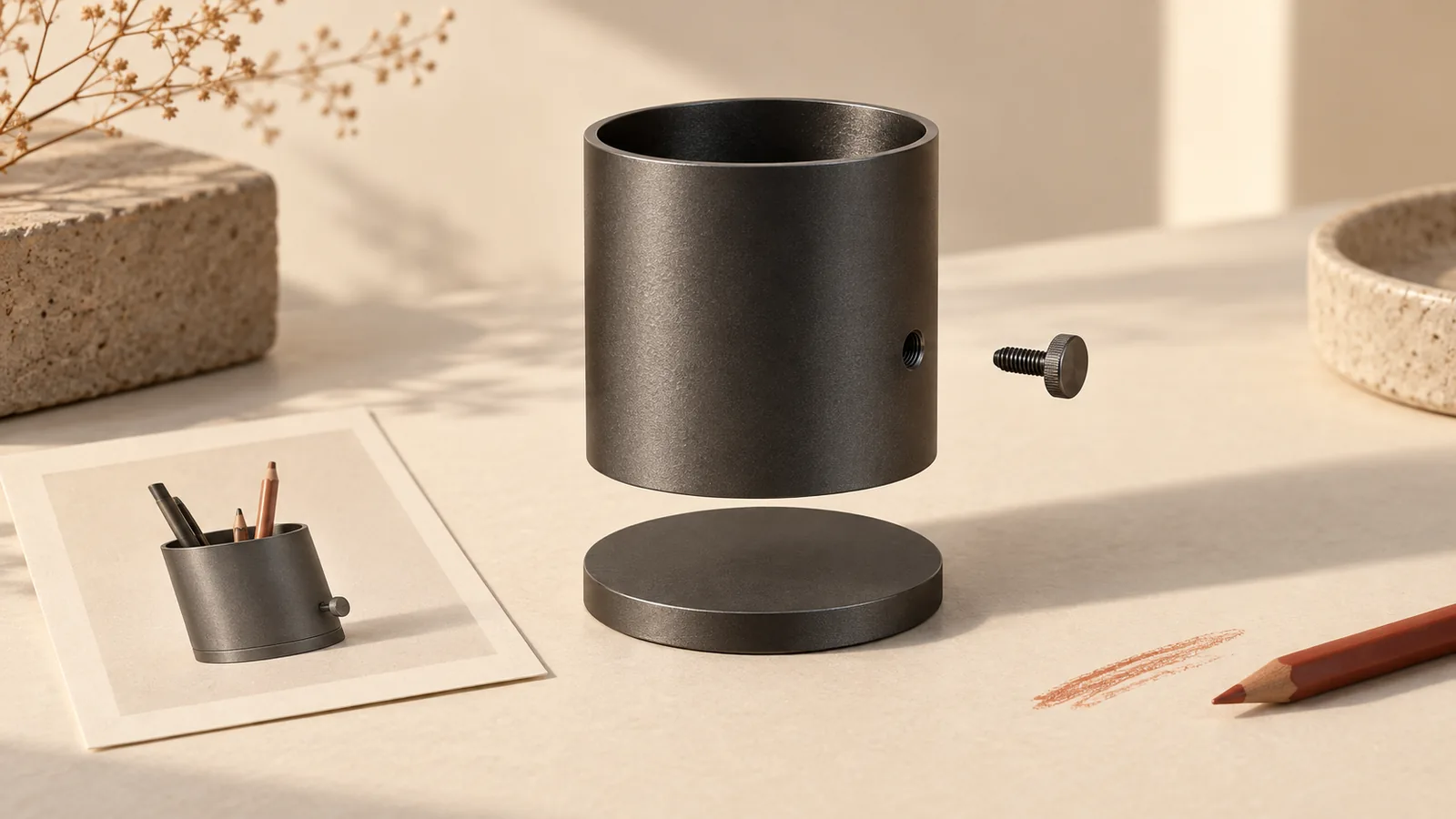
This example briefs one fictional Ellis cream metal display easel with a gray carrying bag. Both are rented and both must be returned. The exercise specifies collection on May 14, 2027, 15:00–18:00, and return on May 17, 2027, 10:00–12:00, in the store's local time. Those are invented planning facts, not available booking slots. We ran Panelly's current Brief formatter locally and retained its complete input and actual output. No rental transaction, physical product or generated ad was tested. The small-business creative ideas pillar covers the wider creative choice.
Name the rental before describing the event
“A display easel for your welcome sign” describes a use but leaves ownership unclear. “Rent the Ellis display easel” answers that first question. Keep the rental wording visible in the opening and ending, rather than relying on a tiny note under a large product price.
An original WeddingsCanada question asks whether to rent or buy decorations and what to do with leftovers. It is one historical Canadian discussion, not a measure of demand or environmental benefit. It suggests a practical reading check: would someone understand what happens to the pictured object after the event?
For Ellis, the price, deposit, payment timing, cancellation arrangements, installation, delivery, location and availability are unknown. Do not turn those gaps into “no deposit,” “we collect it” or “reserved for your date.” Keep the next action at inquiry level until the merchant supplies the real terms and a working destination. The ad does not need to become a rental contract; it does need to describe the same transaction as the destination.
Show the objects that leave and return together
Count the returnable objects before styling the scene. A carrying bag can look like free packaging or a customer keepsake unless the copy gives it a role. A welcome sign on the easel can look included even when it is only a prop.
| Object in the Ellis concept | What the reader needs to know |
|---|---|
| One cream metal easel | Rental item, returned after use |
| One gray carrying bag | Supplied with the rental and also returned |
| Blank sign used for styling | Not supplied; do not present it as part of the rental |
Reuse the bundle-photography guide for quantities and props. The extra decision here is which objects the customer must give back. Repeat the same easel and bag across the four frames without making the repetition look like four easels supplied in one booking.
Use an authorized photo of the actual rental inventory when appearance matters. A generated event concept is not evidence that this exact item is available, undamaged or suitable for a particular sign. Do not infer load capacity, dimensions, assembly instructions or safety approval from its appearance.
Choose copy around temporary use, return or inquiry
These three original directions communicate the same fictional arrangement. They are options to review, not tested advertising winners. Keep the collection and return details nearby whichever headline you choose.
Use
“Rent the display. Keep the occasion.” One Ellis easel with its carrying bag; both returned after use. Action: Ask about this rental.
Return
“One easel. One bag. Both come back.” A clear view of the rental items, with the sign excluded. Action: View rental details.
Dates
“Planning your sign display?” Ask about the Ellis easel for your event; an inquiry does not reserve stock. Action: Ask about dates.
For the first direction, “keep” refers only to the occasion, not the physical objects. If the image or translation makes that distinction difficult, choose the more literal second direction. A clever headline is not worth confusing the transaction.
The merchant We Do Rental separates pickup, deposit and return in its process. That is a useful structural example; its prices and conditions are not Ellis facts. A different service's rental FAQ distinguishes the rental period and return packaging. These examples show why you must use your own verified arrangement rather than borrow another company's logistics promise.
Put the idea to work for your product
Four-panel product ads
Turn a product benefit into a connected four-panel ad. Explore a visual direction, refine the result through conversation, and download the complete image.
Try this in Panelly Edit the brief and replace the reference in Studio. Sign in when you are ready to create.Put collection and return into the actual Brief
In the Brief builder, use Product discovery for a product introduction without a supplied promotion. Put the rental arrangement in Approved message. The formatter organizes text; it does not check a rental calendar, calculate a fee or confirm a reservation. The general Brief examples explain the broader workflow.
| Field used in the local run | Information carried into the request |
|---|---|
| Product | Ellis cream metal display easel and gray carrying bag, rental only |
| Approved message | Both returned; separate May 14 collection and May 17 return windows |
| Audience and action | Temporary sign display; Ask about this rental |
| Do not add | Unconfirmed price, deposit, delivery, capacity or availability |
This excerpt is the actual English formatter output, not a manually reconstructed result:
Product: Fictional Ellis cream metal display easel and its gray carrying bag, available for rental only
Approved message: Rent one easel with its carrying bag; both must be returned. Example collection: May 14, 2027, 15:00–18:00. Example return: May 17, 2027, 10:00–12:00. Store-local times; location and availability must be confirmed.
Call to action: Ask about this rental
Offer: Not requested for this brief.
Deadline: Not requested for this brief.
Deliverable: One complete static 2×2 four-panel image; 3:4 overall aspect ratio.
The product goal marks offer and promotional deadline as not requested. The rental dates stay in the approved message; they are not a sale countdown. We saved the input JSON, parsed it and recompiled it to the identical complete output. This verifies text handling only.
Save input fields as JSON if another person needs to continue the brief. Loading restores fields while retaining the current result until you explicitly Build again. It does not preserve manual result edits in the input file; Download .txt does. Read the rebuilt result before using it, especially if the return window changes. The tool does not automatically send it to Studio.
Request one static concept with one real reference
Open the four-panel task in Studio. After attaching one photo that shows your actual easel and bag, adapt this complete request. The fictional example has not been generated:
@image1 is my actual cream metal display easel and gray carrying bag. Create one complete static 2×2 four-panel product ad, 3:4 overall, for an event organizer. This is a rental, not a sale. One easel and one bag are supplied; both must be returned. For this fictional brief only: collection May 14, 2027, 15:00–18:00; return May 17, 2027, 10:00–12:00, store-local times. Frame 1: introduce the easel with “Rent the Ellis display easel”. Frame 2: show one easel and one bag with “Both returned after use”. Frame 3: show the two labeled collection and return windows separately. Frame 4: the same items with “Ask about this rental”. Keep scenes quiet and wording readable. Do not add a supplied sign, flowers, extra bag, price, deposit rule, delivery, installation, capacity, availability or booking confirmation. A blank sign may be a clearly excluded styling prop. Leave room for manual text correction.The deliverable is one whole image, not four separate carousel files, layers or a video. A reference guides appearance without guaranteeing exact lettering or unchanged pixels. Select a result and use Mention and refine for a specific correction; compare the whole next version. Correcting a return caption can also change another frame.
Compare the destination and final exported image
Read the ad as someone collecting the items: is this a rental, what leaves with me, what comes back, when do I collect it and when do I return it? Check that the destination answers the missing practical questions and uses the same windows. Store-local time needs a real location in a live offer. An inquiry form, availability check and confirmed booking are different steps; use the wording that the actual destination supports. The message-match checklist helps compare them.
Use the image resizer to inspect a crop or fit export and the image compressor when a JPEG/WebP byte budget matters. Reread “rental,” the bag's return status and both dates after export; neither tool verifies terms, readability or platform approval. The cover's bottle-ad prints, colored tabs and folder are an editorial illustration, not Ellis inventory or a rental booking record.
Your next step in Studio is one bounded static concept using your own inventory photo and confirmed rental facts. Keep the return journey as clear as the opening product view.