Campaigns
DIY Kit Ad Copy Examples: Make the Assembly Requirement Clear
Plan a static product ad that distinguishes a making kit, completed example and separately needed tools. Original copy, actual Brief output and a complete request.

Make it with Panelly
Four-panel product ads
Turn a product benefit into a connected four-panel ad. Explore a visual direction, refine the result through conversation, and download the complete image.
Try this in Panelly Edit the brief before you generate.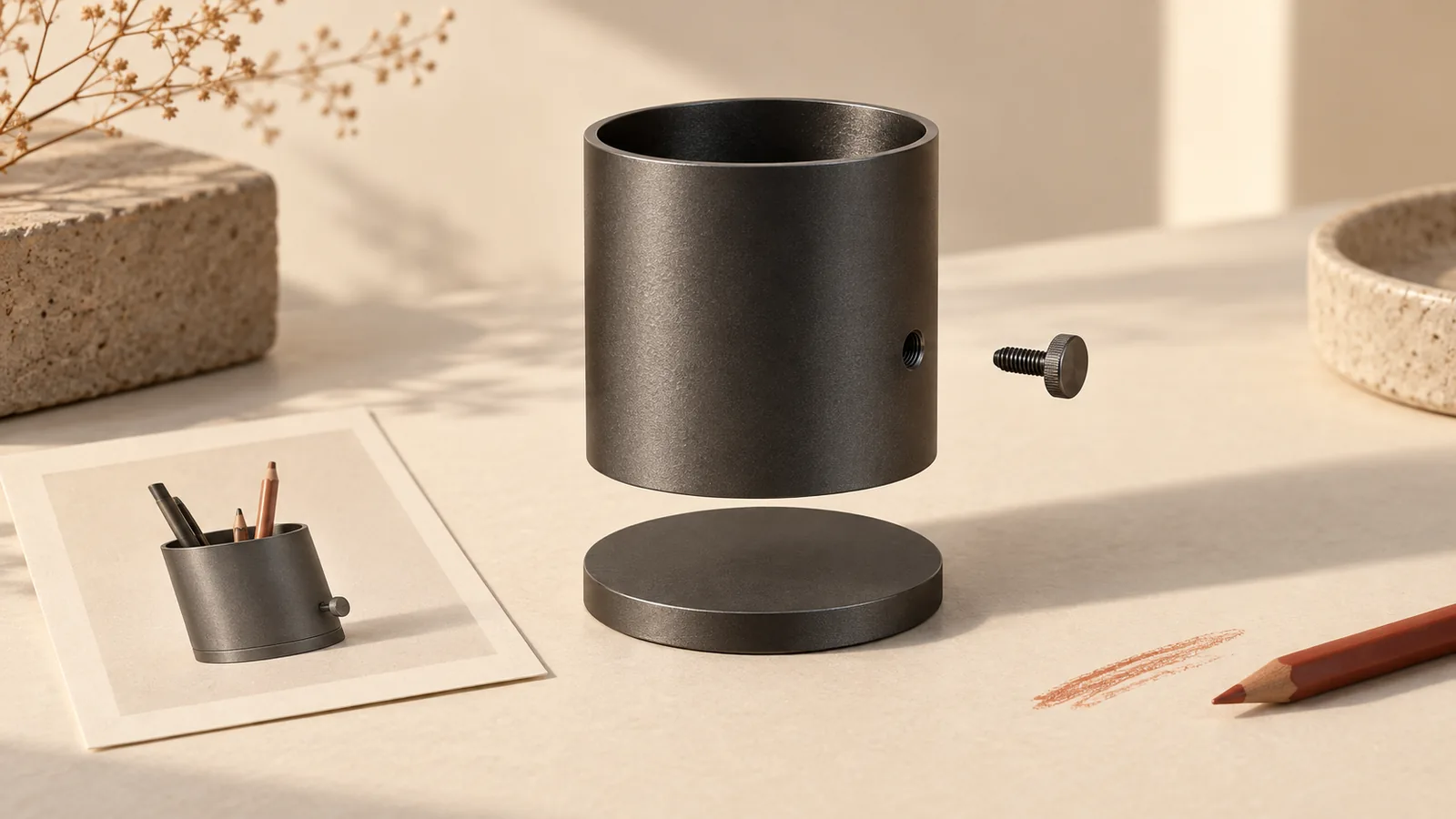
A DIY kit ad should say what the buyer receives, what the buyer must do, and what they need to supply separately. A photograph of a finished object can explain the project, but it should not make an unassembled kit look like a ready-made purchase. Put the making requirement near the product name, before the shopping invitation.
This worked example plans one static product ad in Panelly. It includes three original copy options, actual text from the current Brief formatter and a complete Studio request. The Rowan product is fictional; no kit was assembled, photographed or generated for this article. The cover is an editorial exploded view of a dark pen holder, not a Rowan kit, a construction diagram or a tested finished result.
For the wider planning framework, use the small-business ad ideas pillar. This article works through the specific making-kit purchase decision.
Name the making task before promising the finished object
Describe the purchase as a physical making kit and name the customer's action. “Paper garland making kit — thread it yourself” creates a different expectation from “Sage garland for your wall.” The second line could describe an assembled decoration that arrives ready to hang.
For our fictional Rowan example, the approved contents are 12 precut, punched sage paper flags, one 2 m cotton cord and one instruction card. The buyer threads the flags onto the cord. Scissors are needed to trim the cord and are not included. The finished garland is not supplied. The cord measurement describes an input material; it does not establish the finished hanging span.
| Purchase fact | What the ad can say | What still needs evidence |
|---|---|---|
| Flags, cord and instructions arrive unassembled | Physical DIY garland kit; assembly required | Packaging appearance and actual supplied items |
| Buyer threads the flags | Thread your own paper garland | A real process photo or demonstrated method |
| Scissors are needed separately | Scissors needed; not included | Any additional tools required by the real product |
| No timing or skill test was supplied | See the kit and what to prepare | Beginner suitability, completion time and age guidance |
Keep the activity appealing through the choice of project, color and making action. Do not replace missing evidence with “anyone can do it,” “done in minutes” or “everything included.” These are product claims, even when used as friendly hooks. Price, delivery and safety information also remain unknown in this example.
The existing bundle photography guide explains how to count contents and separate props. Use that method for the supplied materials. This article adds the assembly decision: a complete set of materials can still require work and a separately owned tool.
Separate a completed example from what ships in the kit
Give the contents view and the finished example different jobs. The first establishes the purchase. The second explains a possible project, provided you have real evidence for it. A generated scene cannot establish that the supplied materials actually produced a pictured result.
Party At Your Door's paper-chain kit listing distinguishes an unassembled kit and a separately needed tool. That is a useful disclosure structure; its product facts and images are not inputs for Rowan. A craft-kit discussion also raises skill and missing-tool questions. Those individual opinions do not establish their frequency or our kit's quality.
For a real campaign, photograph the supplied materials, the actual making action and a completed example made from that kit. Label the completed view beside the object, such as “Assembled example — not supplied ready-made.” Keep the separately needed tool outside the contents arrangement. If the tool has to appear, give it an immediate “not included” label rather than relying on a footnote elsewhere.
Etsy's listing image policy distinguishes real finished-result evidence from generated imagery. Check its applicable product rules if you sell there; a Panelly concept does not automatically qualify as a compliant listing image. Keep the real evidence even if you use a generated composition for an additional advertising concept.
Choose copy around the buyer's participation
Choose one message hierarchy instead of stacking all three hooks into one image. The following copy is original and uses only Rowan's supplied fictional facts. It is not a record of ad performance.
| Lead and next step | Headline and support |
|---|---|
| Activity first — See the kit and what to prepare | Thread your own sage paper garland. Rowan supplies 12 punched flags, cord and instructions; scissors needed separately. |
| Purchase first — View kit contents | Rowan paper garland making kit. Unassembled materials for you to thread; finished garland not supplied. Scissors not included. |
| Preparation first — Check what you need | Your garland project starts with the kit. Flags, cord and instructions included; bring scissors for trimming. |
The activity-first version fits a shopper choosing something to make. Purchase-first helps when an attractive finished view could obscure what is actually sold. Preparation-first suits a destination that explains materials and tools in detail. Use a CTA that leads to that information, rather than a “Shop the finished garland” button.
For a smaller layout, retain “DIY kit,” the assembly requirement and the separate tool. Shorten atmosphere before removing purchase facts. If a tool qualification cannot be read at ordinary phone size, simplify the layout instead of making the qualification smaller. Review the ad-to-destination match before sending traffic.
Put the idea to work for your product
Four-panel product ads
Turn a product benefit into a connected four-panel ad. Explore a visual direction, refine the result through conversation, and download the complete image.
Try this in Panelly Edit the brief and replace the reference in Studio. Sign in when you are ready to create.Build a Brief from the approved kit facts
Use the Brief builder to organize the product, audience, approved message, visual direction and CTA. The tool formats template text; it does not verify the contents, teach the craft or generate an image. Product discovery is the goal in this example. Essential assembly and tool facts belong in the approved message, rather than an optional promotion field.
These are the actual local formatter inputs used for the worked example. No production form session or image upload was performed.
| Brief field | Original input |
|---|---|
| Product | Fictional Rowan paper garland making kit |
| Approved message | 12 precut, punched sage flags; one 2 m cotton cord; one instruction card. Buyer threads them. Finished garland not supplied; scissors needed and not included. |
| Audience | A shopper choosing a making activity who needs to know what arrives and what they supply |
| Visual direction | Introduce the kit, show the threading action, separate the tool and close with the preparation CTA |
| Reference notes | One authorized real overview photo; additional real process and result evidence belongs in the store |
| Exclusions | No invented ease, age suitability, timing, price, shipping or finished-span claims |
The following lines are unchanged excerpts from the actual current local compiler output:
Product: Fictional Rowan paper garland making kit
Approved message: A physical DIY kit: 12 precut, punched sage paper flags, one 2 m cotton cord and one instruction card. Buyer threads the flags onto the cord. Finished garland not supplied. Scissors for trimming cord are needed and not included.
Call to action: See the kit and what to prepare
Deliverable: One complete static 2×2 four-panel image; 3:4 overall aspect ratio.
The same inputs were serialized to the tool's input JSON format, parsed and compiled again. The output matched exactly. This verifies text reuse, not the physical kit. On the live tool, **Save inputs** preserves fields; it does not save manual edits to the result. **Download .txt** preserves that result text. Loading input JSON fills fields and keeps the current result until you explicitly build again. Review the general Brief examples for the broader workflow.
Request one static kit ad with one actual reference
Open the four-panel task in Studio, attach one authorized overview photo of the actual kit and adapt the request below. This illustrative request has not been sent to a provider. A note saying “use my reference” is not an attachment, and the placeholder must refer to the photo you actually selected.
Create one complete static 2x2 four-panel product ad, 3:4 overall, for the fictional Rowan paper garland making kit. Use my attached @image1 as the kit appearance reference.
Approved facts: 12 precut, punched sage paper flags, one 2 m cotton cord and one instruction card. The buyer threads the flags onto the cord. Scissors are needed for trimming and not included. Finished garland not supplied. The cord length is not an approved finished-span claim.
Panel 1: introduce the unassembled kit with "Thread your own sage paper garland."
Panel 2: show the threading action as an illustrative concept, not proof of tested instructions or a guaranteed result.
Panel 3: state "Scissors needed; not included." Keep the tool separate from supplied materials.
Panel 4: return to the kit with "See the kit and what to prepare."
Use a quiet cream tabletop. Do not add decorative products that look included. Do not invent a finished-result photo, price, shipping, age rating, completion time or beginner guarantee.
Return one complete image, not separate carousel files, editable layers or a video. Make text readable; I will review the whole result against real evidence before use.
If the selected output needs a change, select that exact canvas image and choose **Mention and refine**. Describe the observed issue, such as a missing tool qualification. Review the complete returned image again; the request does not guarantee that labels, other panels or surrounding pixels remain unchanged. The reference-image guide explains that selection step.
Check assembly facts again after export
Compare the image with the actual kit, its instructions and the destination page. Count the materials, check that “DIY kit” remains prominent, and make sure a tool or completed example cannot be mistaken for something shipped. Inspect any making scene for invented holes, impossible threading or quantities that contradict the reference. If you cannot verify a finished result, use a factual kit view instead.
Use the image resizer to test crop versus full-image fit and export dimensions. Scaling can change edge pixels; fitting a whole image does not guarantee readable small text. If a byte limit matters, inspect an actual compressor download too. Neither tool checks craft instructions, product claims or marketplace acceptance.
The useful next step is a brief with three explicit answers: what arrives, what the customer does, and what they must prepare. Take those facts and your real kit photo to Studio's four-panel task. Keep real making and finished-result evidence alongside the concept before deciding where it can be used.